Criteria move from people's heads into scenarios
Each line writes its criteria down as text and OK and NG reference images. When people change, the criteria do not.
Set a part on the tray and the tablet shoots the moment it holds still; the vision model on your server answers OK or NG with the defect type and a finding, using the criteria and reference images in the scenario. It runs in a browser, nothing to install.
Each line writes its criteria down as text and OK and NG reference images. When people change, the criteria do not.
What was called NG and why — image, finding and confidence — is filed by date. You can find the images from the day a problem started.
Results people confirm become training data for a model dedicated to that line, and that model takes over judgment as far as its record earns.
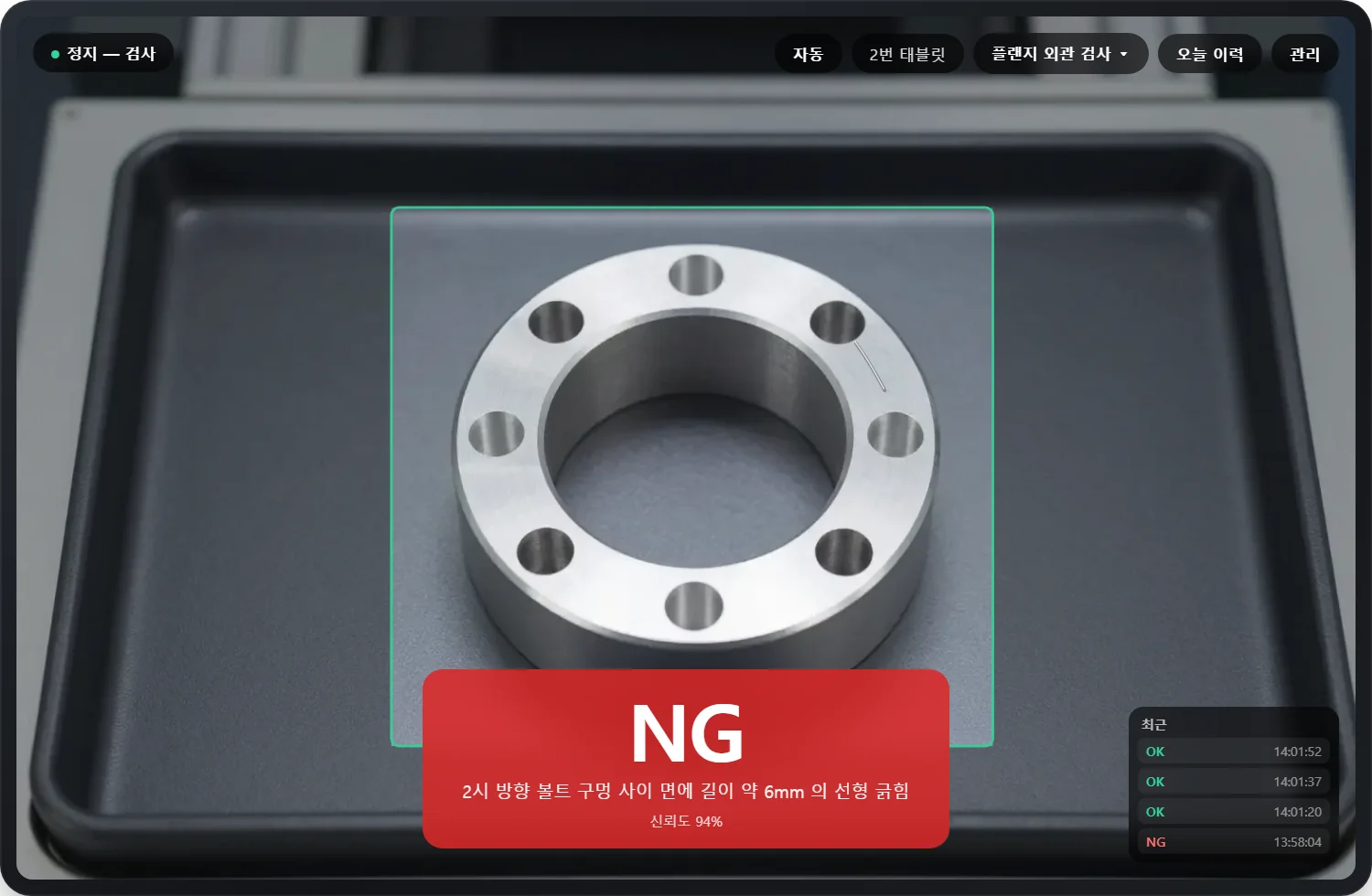
The operator only sets the part down. Motion detection and blur rejection run on the tablet, and the result is shown large enough to read from across the station. A manual shutter is there too.
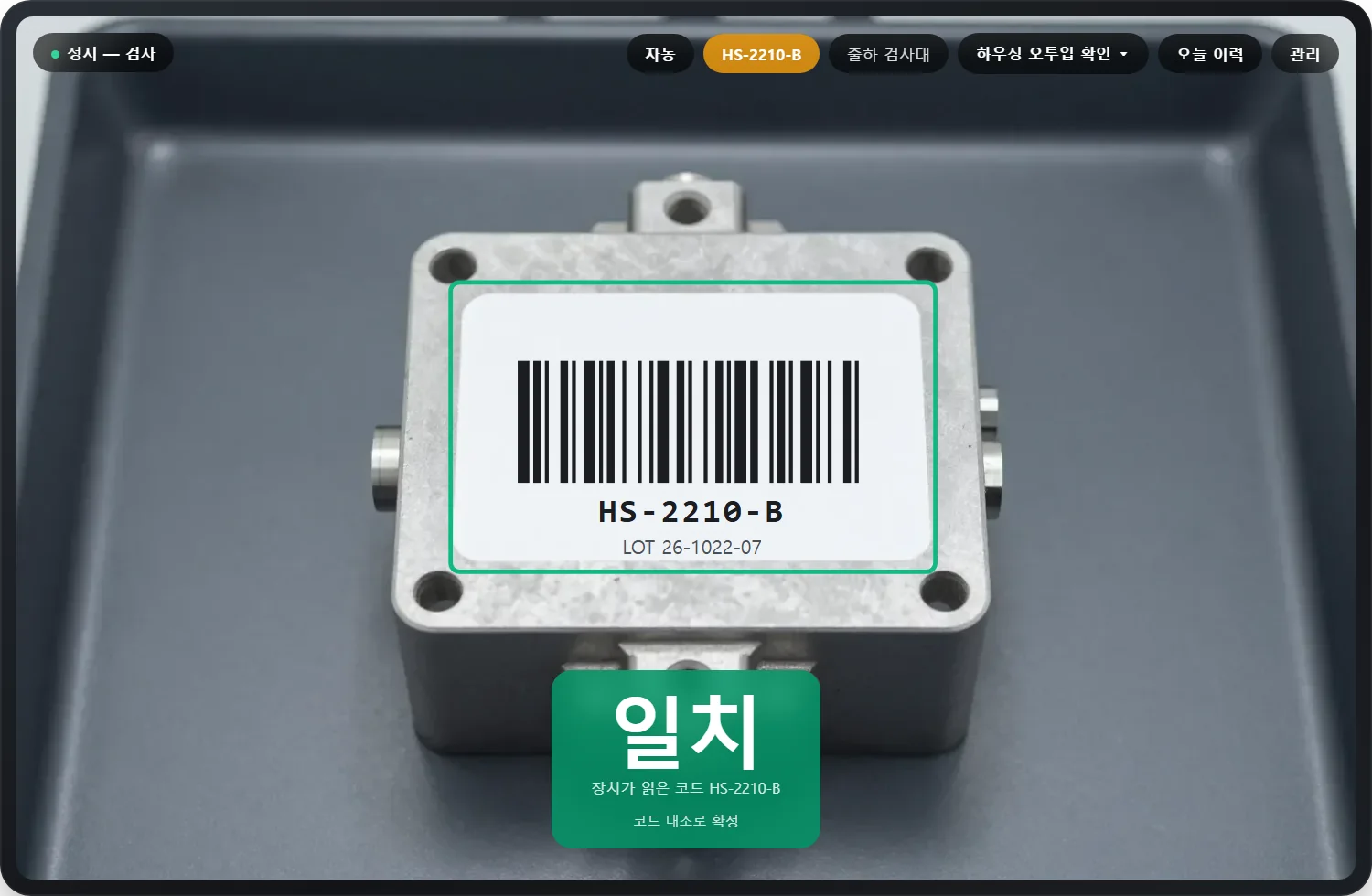
The operator enters the expected part number and the capture is answered as a match or a mismatch. When the tablet can read the label's barcode the code is compared first; without one, the vision model checks the part against the number.
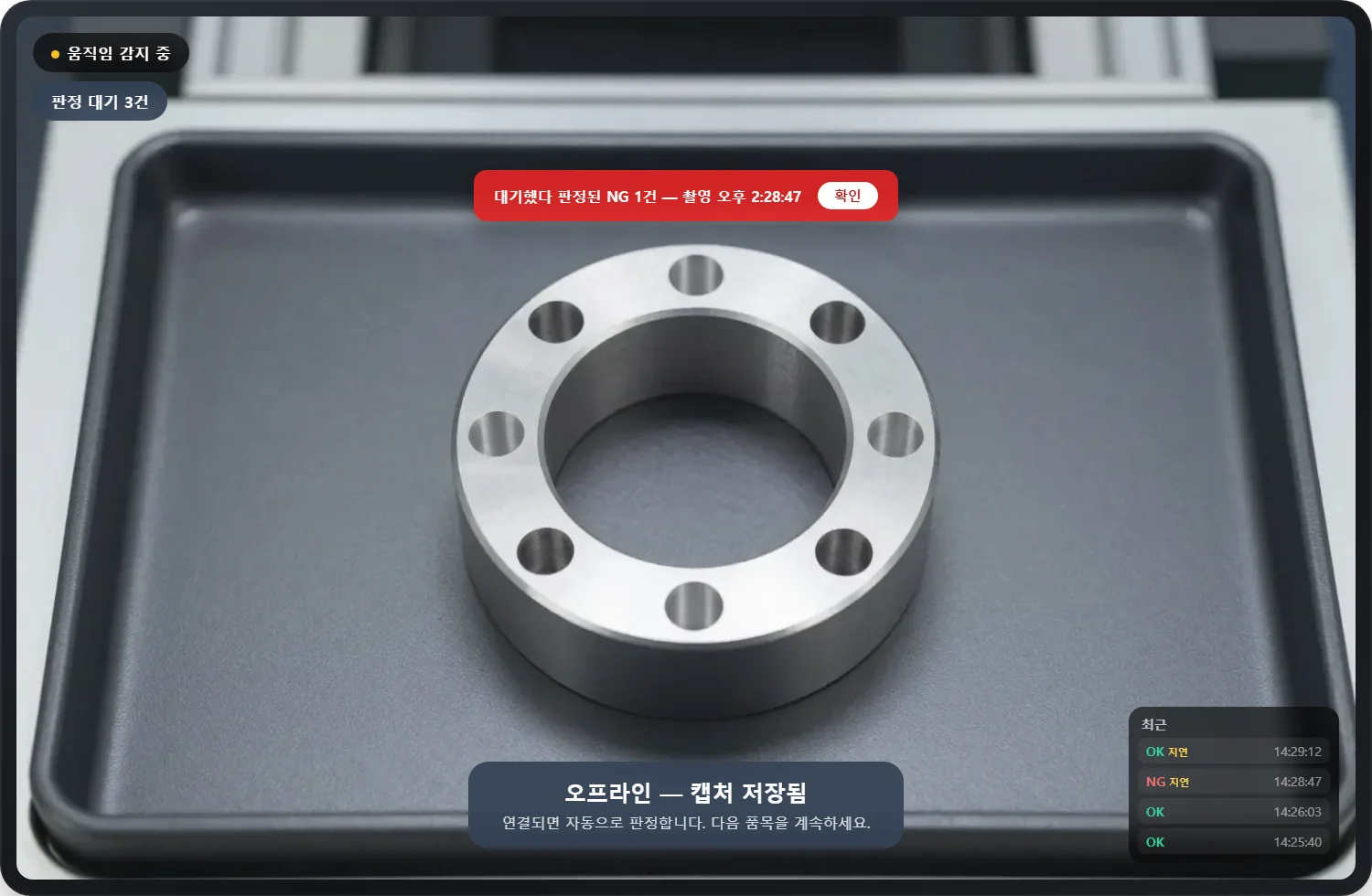
Captures are saved on the tablet first. Those that cannot reach the server are sent in the order taken once it is back, each judged only once, and the record keeps the time they were taken.
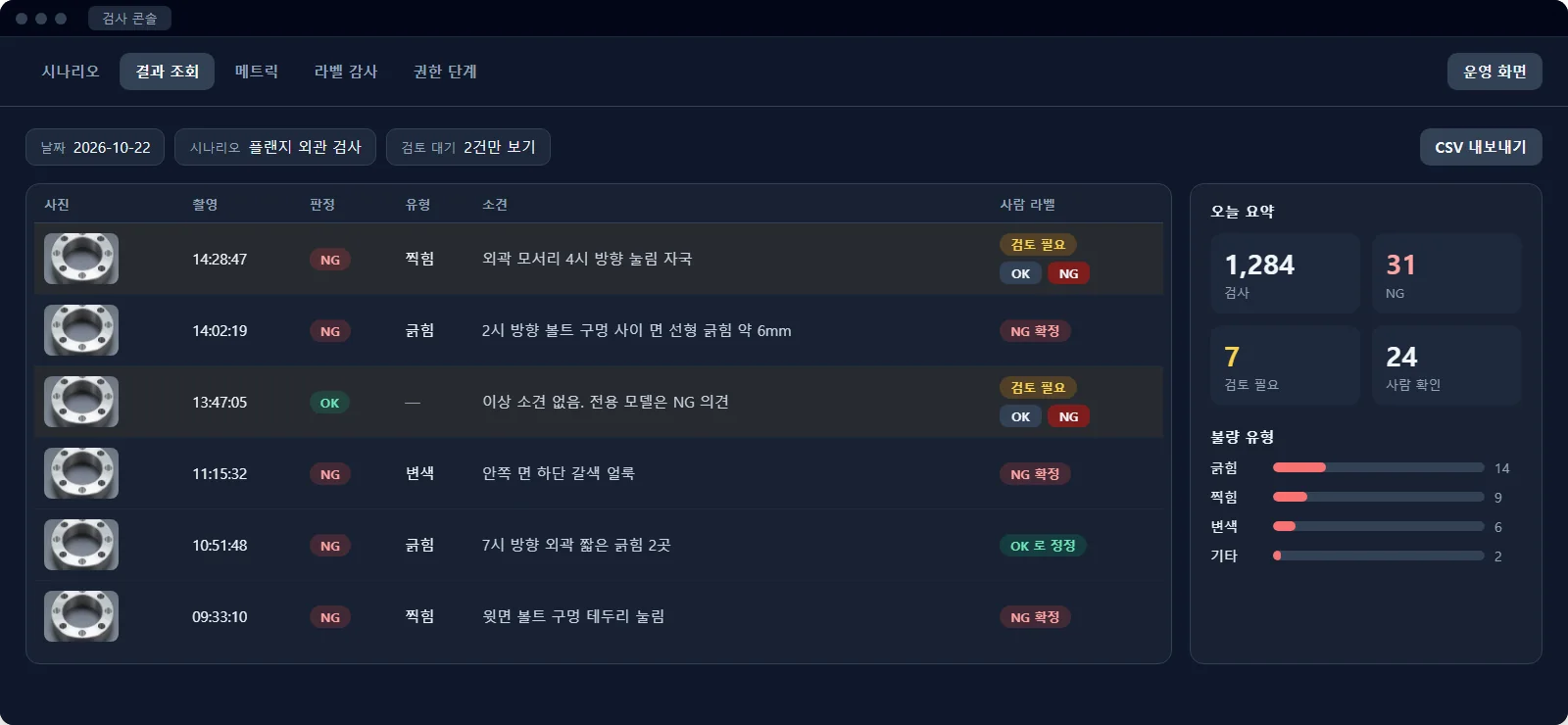
Find results by date and scenario. When the vision model and the dedicated model disagree, or confidence is low, a person settles OK or NG from the review list.
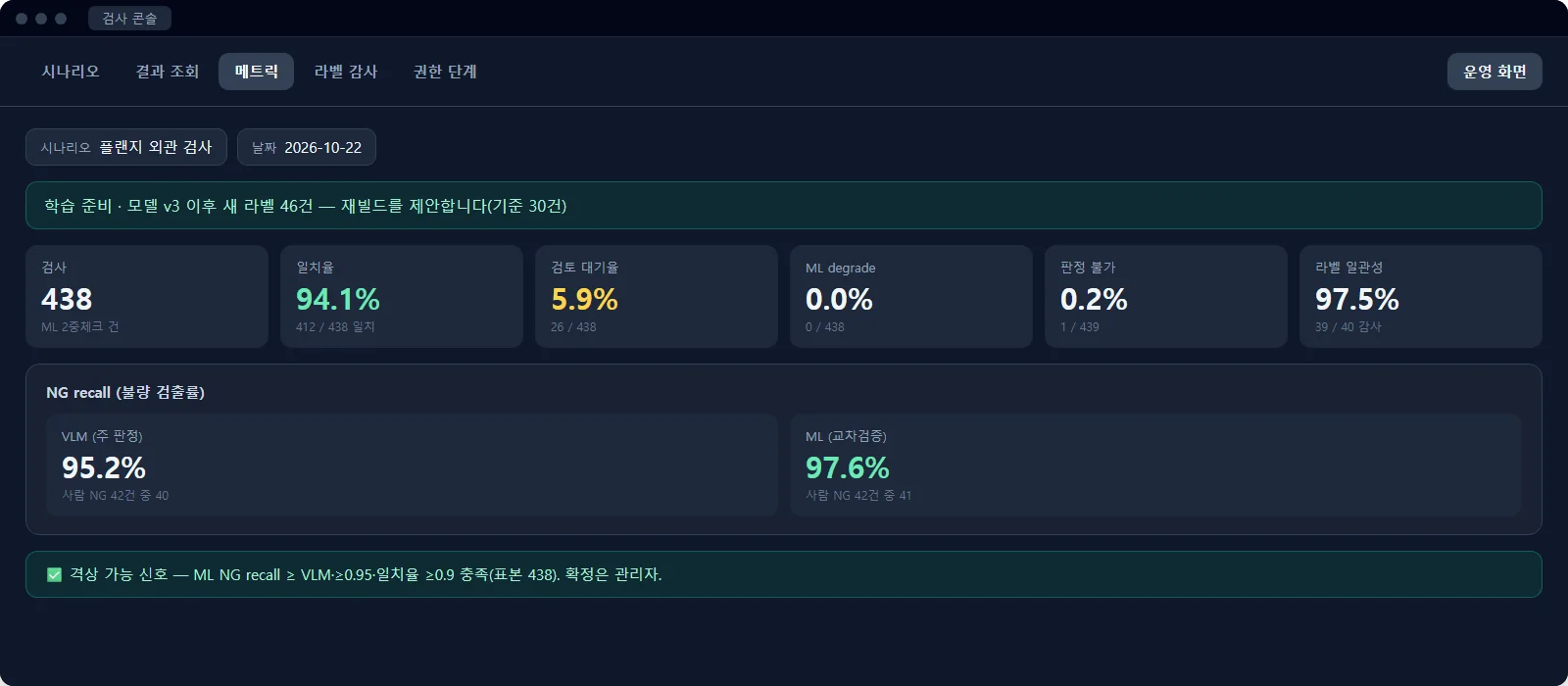
On day one the vision model judges. Once enough human-confirmed images of each type are in, the console says it is time to build a model dedicated to the line. The training data, selected by rule, is downloaded through the API.
Beyond still images, we are building the same judge-and-record loop for fixed cameras watching the line. Early fire and smoke warning is on the same path.
Video is processed by an edge device beside the line, which sends the server only the events to judge and the crops that go with them, holding them while the connection is down.
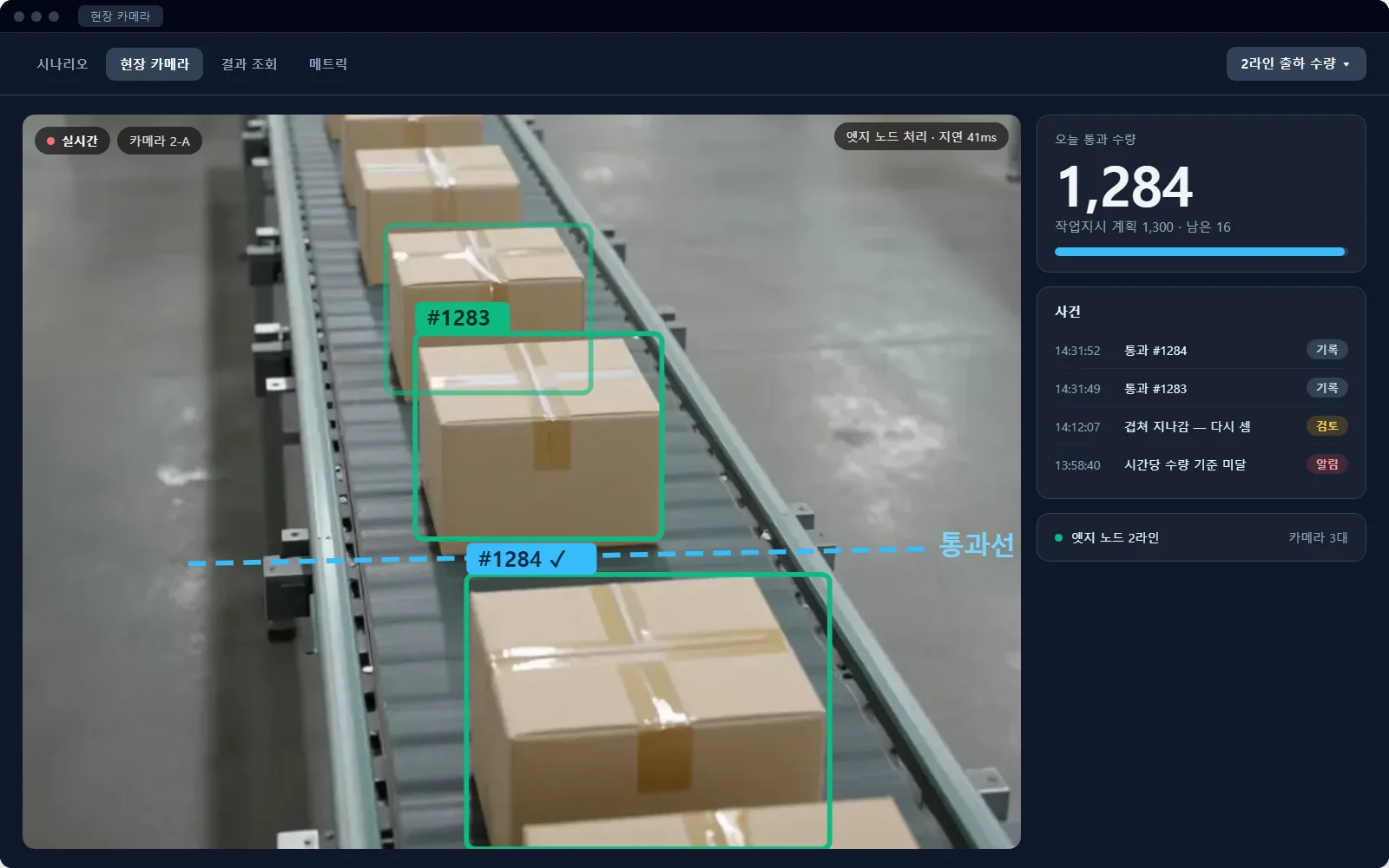
Counts items as they cross a line on the conveyor, beside the work order's plan. Items that pass overlapped are checked again.
Need this? Tell us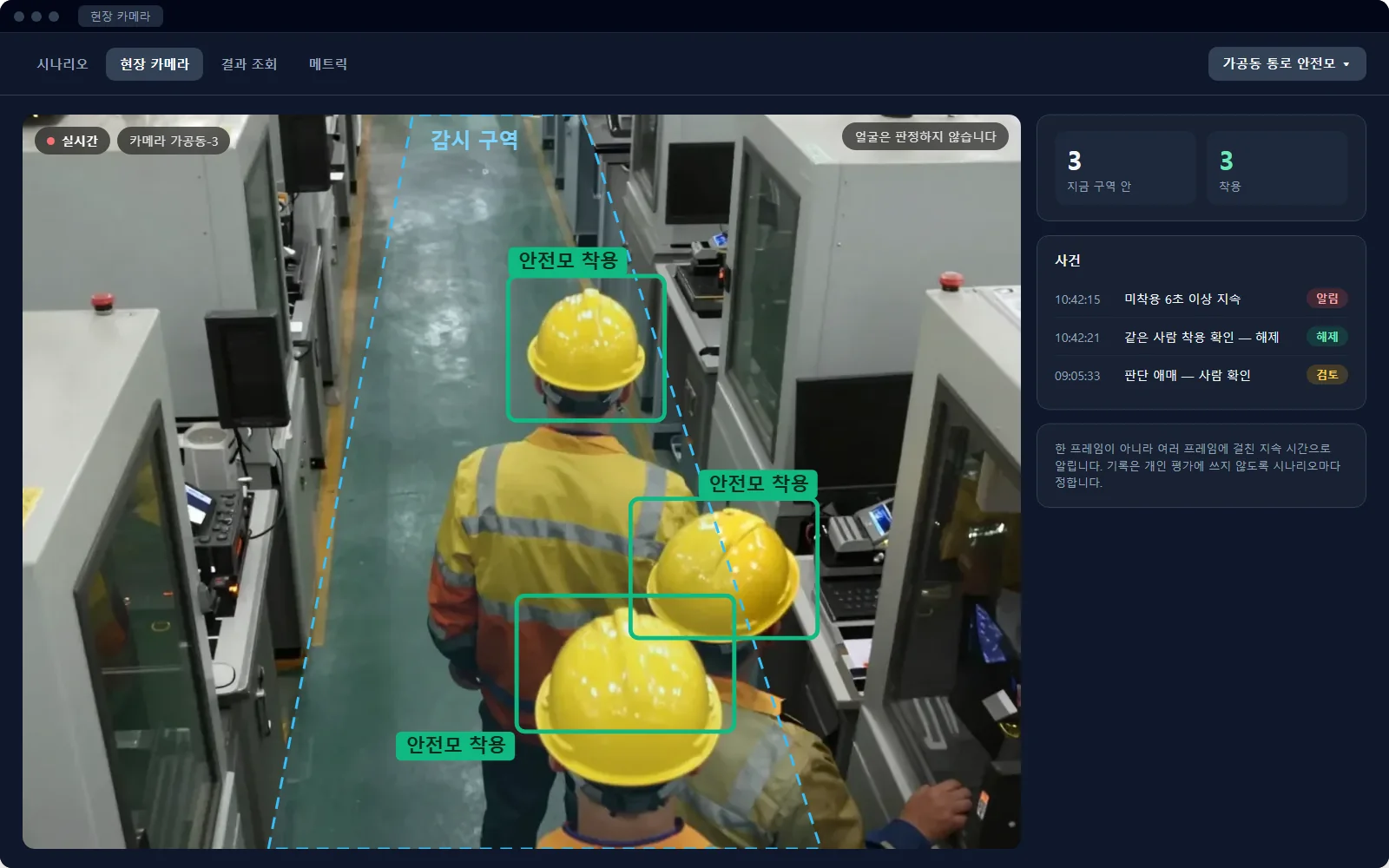
Watches for hard hats on workers inside a zone. It alerts only when a miss lasts several seconds, not on a single frame, and it never judges faces.
Need this? Tell us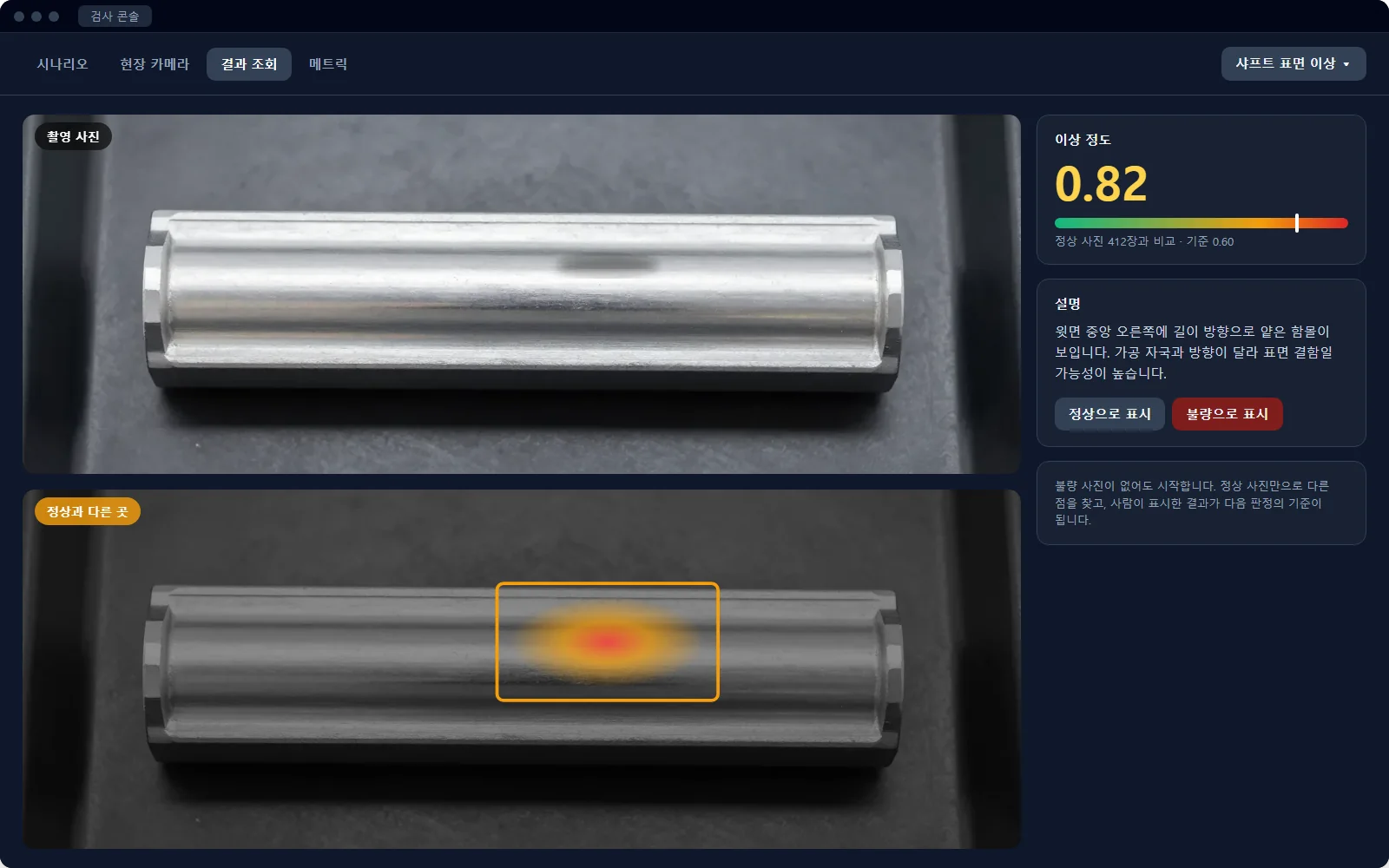
Starts without any defect images. It marks where a part differs from normal ones, and the vision model explains what is different.
Need this? Tell usEach decision is posted to systems such as an MES as a signed event (CloudEvents) over a webhook. The API is described by a published OpenAPI document, so integration code can be generated from it.
It judges with a model served from your own GPU server through an OpenAI-compatible API. Inspection images are not sent to outside services.
Decisions and images are kept in folders on the server. A backup is a folder copy.
Run it as a standalone server, or mount it in an ASP.NET Core app as a NuGet package.
Choose one inspection where it would matter most, and write its criteria down as text and a few OK and NG reference images.
Put a tablet over the tray and judge on the real line. At first, people check the results.
See in the console how often the decisions matched what people confirmed.
As data builds up, train a dedicated model, hand judgment over, and extend to other lines and inspections.
Even if it is not on this page. Tell us what parts, against what criteria and how many a day, and we will find a starting point together. The roadmap's order is set by requests like yours.
Open source under the MIT license. Setup instructions, the API document and the package are public.